DxO PureRAW 6 Review: How It Fits Into a Real Landscape Photography Workflow
There's exactly one piece of software I now run on every single image before I do anything else. Easy daylight photos or high-ISO images taken in the middle of the night — I throw every one into it before I start my landscape photography editing workflow.
That software is DxO PureRAW 6, and in this review I'll tell you how it fits into my workflow, where it genuinely improves my files, and — just as importantly — who doesn't actually need it. This isn't a spec sheet. It's how the tool performs in real use, from someone who pushes camera gear to its limits in the field and cares about squeezing the last bit of quality out of every frame.
I didn't find PureRAW on my own. I first heard about it from my friend Chris Hoiberg, gave it a try, and thought it was quietly impressive. What made me look again — properly, this time — was noticing that a fellow professional I was guiding a group alongside in Patagonia runs every single one of his images through it too. When several people who shoot at this level independently arrive at the same habit, it's worth paying attention. So I did.
Let's get into it.
What DxO PureRAW actually is (and what it isn't)
First, an important distinction, because it's the thing most people get wrong before they try it.
DxO PureRAW is not a photo editor. It won't replace Lightroom, Capture One, or Photoshop. You don't adjust exposure, color grading, or contrast in it. Instead, it works one step earlier in the chain: it takes your RAW file and rebuilds it into a technically stronger version — cleaner, sharper, optically corrected — which you then edit as normal.
Think of it as a pre-processor. It improves the foundation of the image before your creative editing begins. What it does under the hood is advanced demosaicing, noise reduction, sharpening, and lens corrections based on DxO's camera and lens profiles, then hands you back a DNG that drops straight into your editor.
So if you're expecting an all-in-one editing suite, this isn't it. If you're expecting the cleanest possible starting point for your files, read on.
How I use it in my workflow
My workflow nowadays is simple — as life keeps me busy. I learned that I prefer to get straight to the result I actually want, without spending hours in Photoshop if I don't really have to. And PureRAW sits right at the front of it.
I import everything into Lightroom as usual. Then, before I touch a single slider, I run the files through DxO PureRAW 6 as the first step. I don't fuss with the settings much — the automatic processing is reliable enough that I trust it on the vast majority of my images, and the results consistently hold up.
One thing I paid close attention to, because it's a real worry for anyone with a dialed-in color setup: I use custom color profiles built for my Nikon Z8 to squeeze the best colors out of my camera's sensor. I was concerned PureRAW might fight those or shift my colors. It doesn't. My tones come through looking clean and natural, and the color rendition, to my eye, is treated beautifully. If anything, the overall tonal quality looks better coming out the other side.
Where it genuinely shines
Here's where PureRAW earns its place at the front of my workflow.
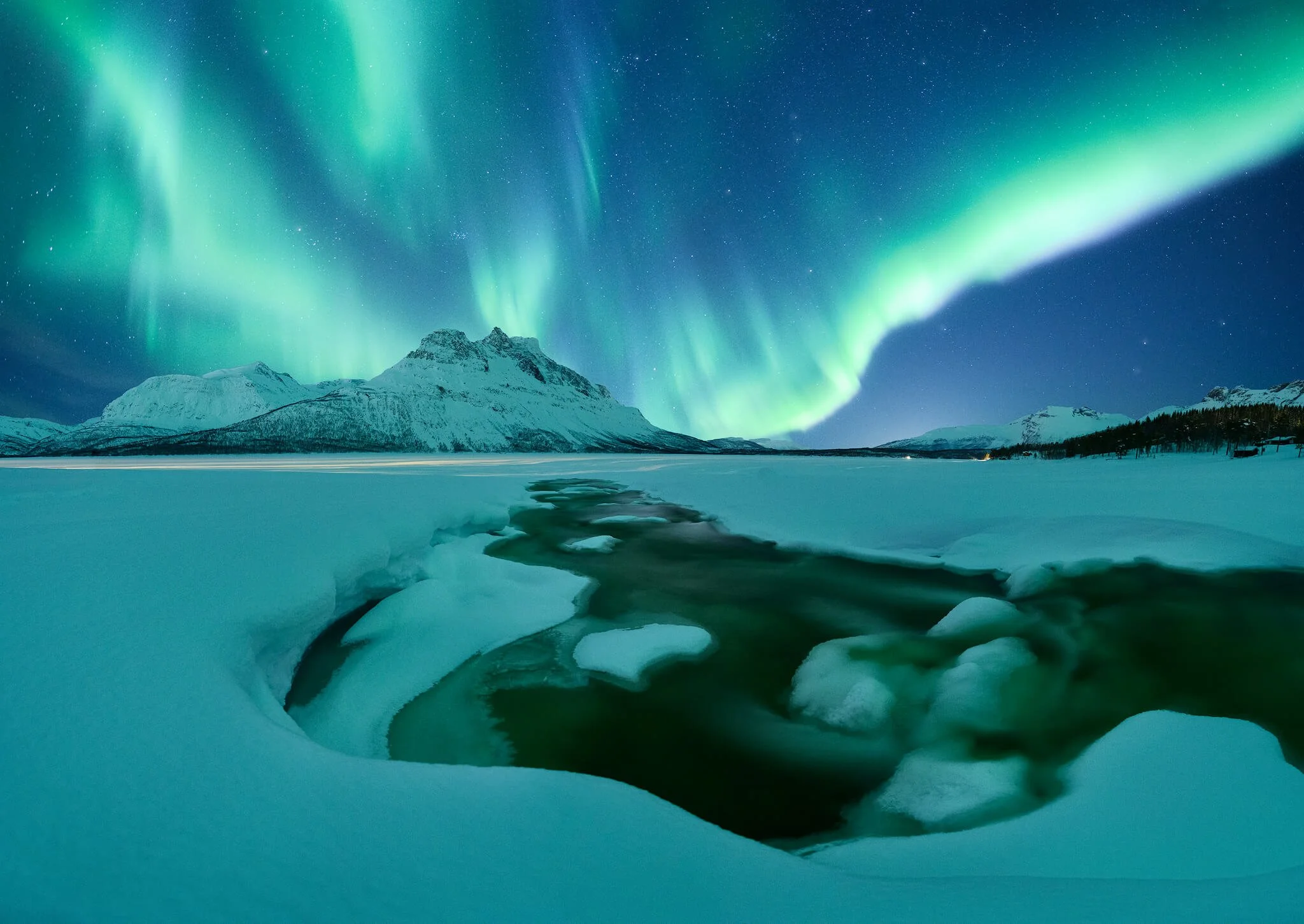
High-ISO files. This is the big one. On images shot at high ISO — aurora, astro, handheld low-light, anything where I've had to push the sensor — the improvement in the detail-to-noise ratio is massive. It cleans the noise without smearing away the fine detail, which is exactly where older noise-reduction tools always failed. Files I'd have hesitated to print or publish become genuinely usable.
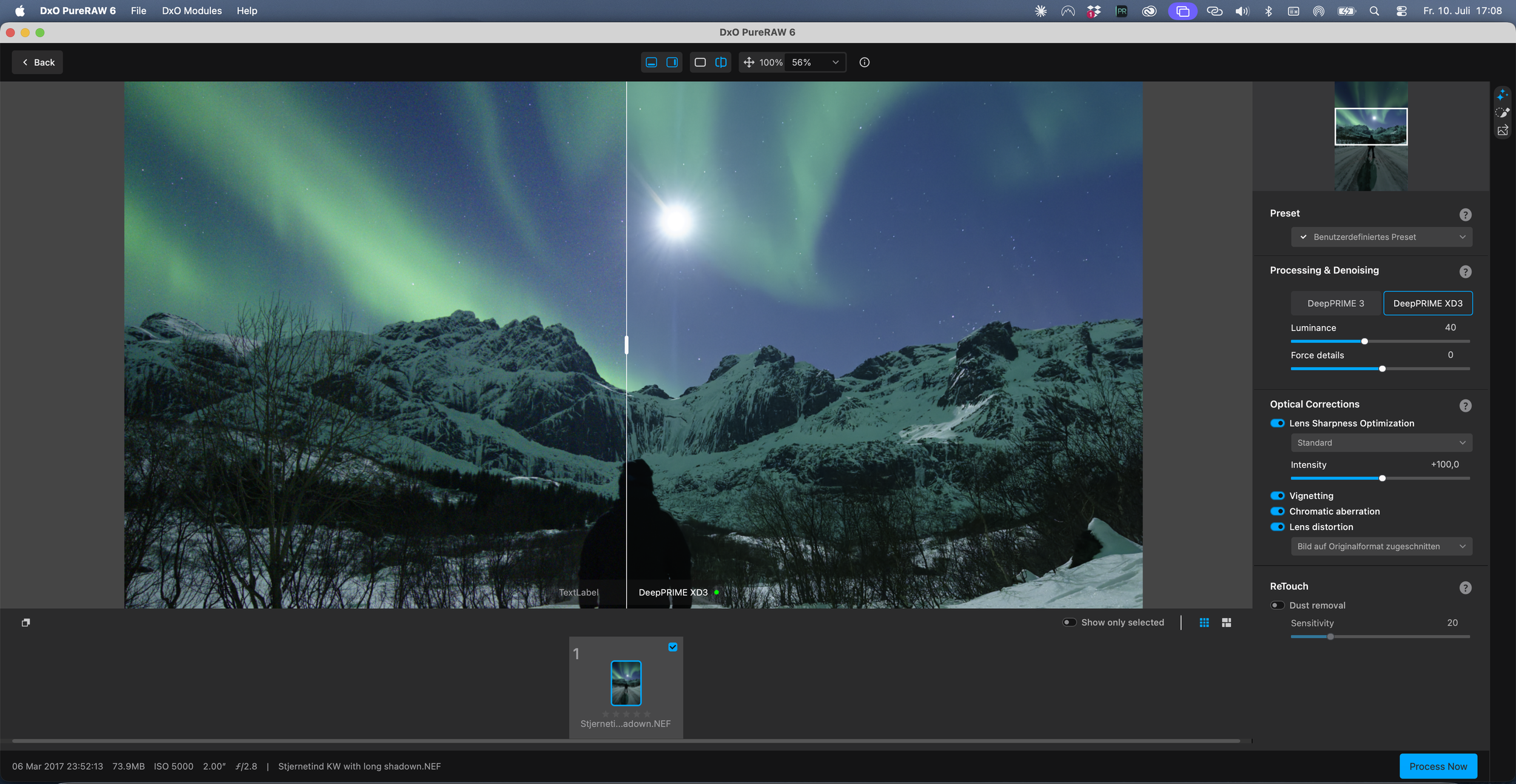
Tonal and color quality. As I mentioned, the tones simply look better to me across the board, and my custom Nikon profiles apply cleanly on top of the processed files.
Optical corrections. Because DxO profiles specific camera-and-lens combinations, it corrects distortion, aberration, and edge softness with a precision that's hard to match manually.
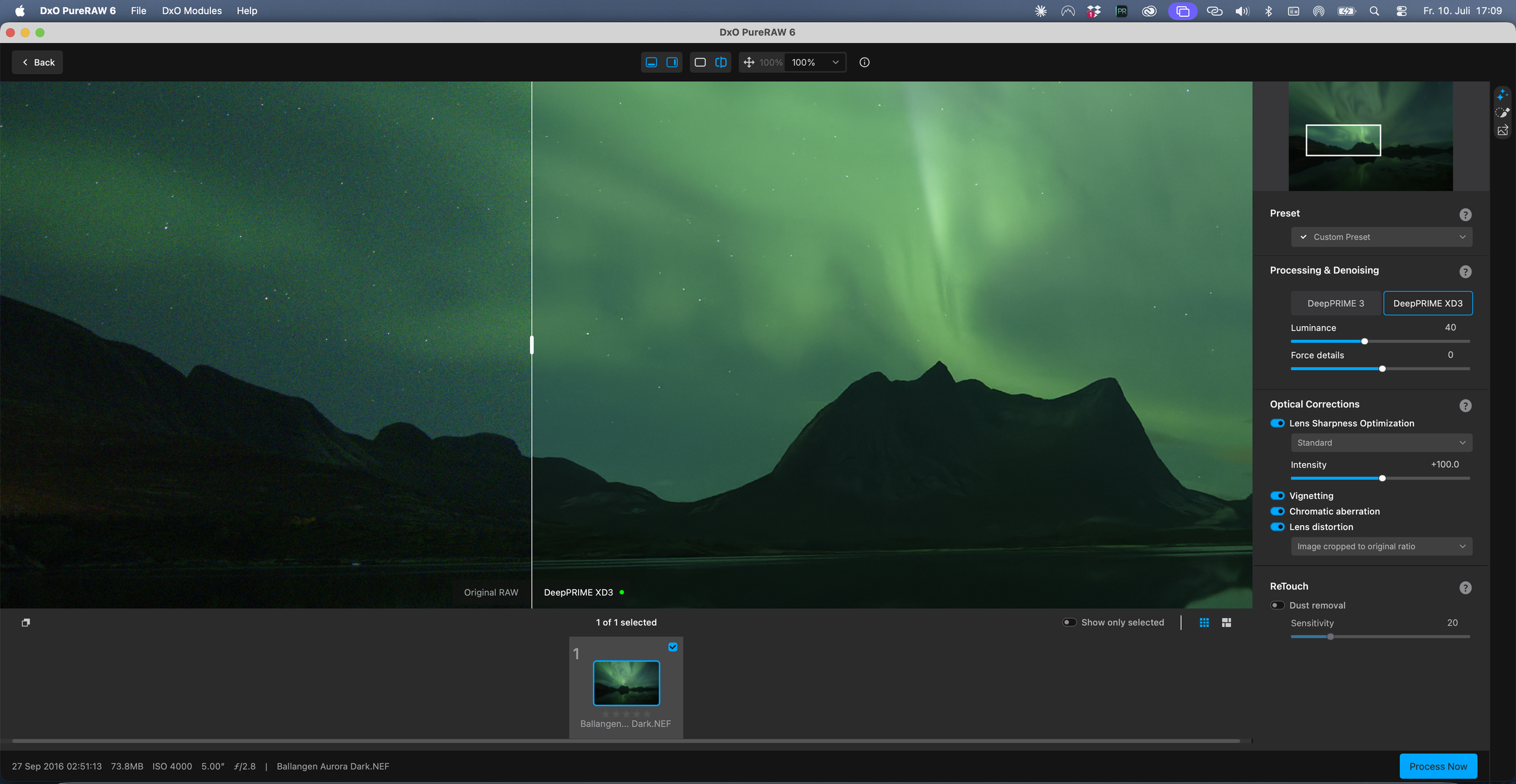
And my favorite thing of all: modern processing like this can rescue images I'd long ago written off. We often push our gear to the very edge of what a sensor can do — and some frames I captured years ago, on older cameras, I'd filed away as unusable because of noise. With today's tools, I can pull those files back out and turn them into something I'm proud to use. That fact alone delights me. Photographs I thought were lost are usable again.
In practice, you'll feel the difference most if you:
Shoot at high ISO — aurora, astro, or handheld in low light — where noise is the enemy of detail
Push shadows hard in editing and need clean detail to survive the lift
Want the sharpest, most optically corrected version of what your lens actually recorded
Have older files from earlier cameras you'd written off as too noisy to use
If none of those describe how you shoot, you can likely skip it with a clear conscience. If several of them do, it's hard to go back once you've seen what it does.
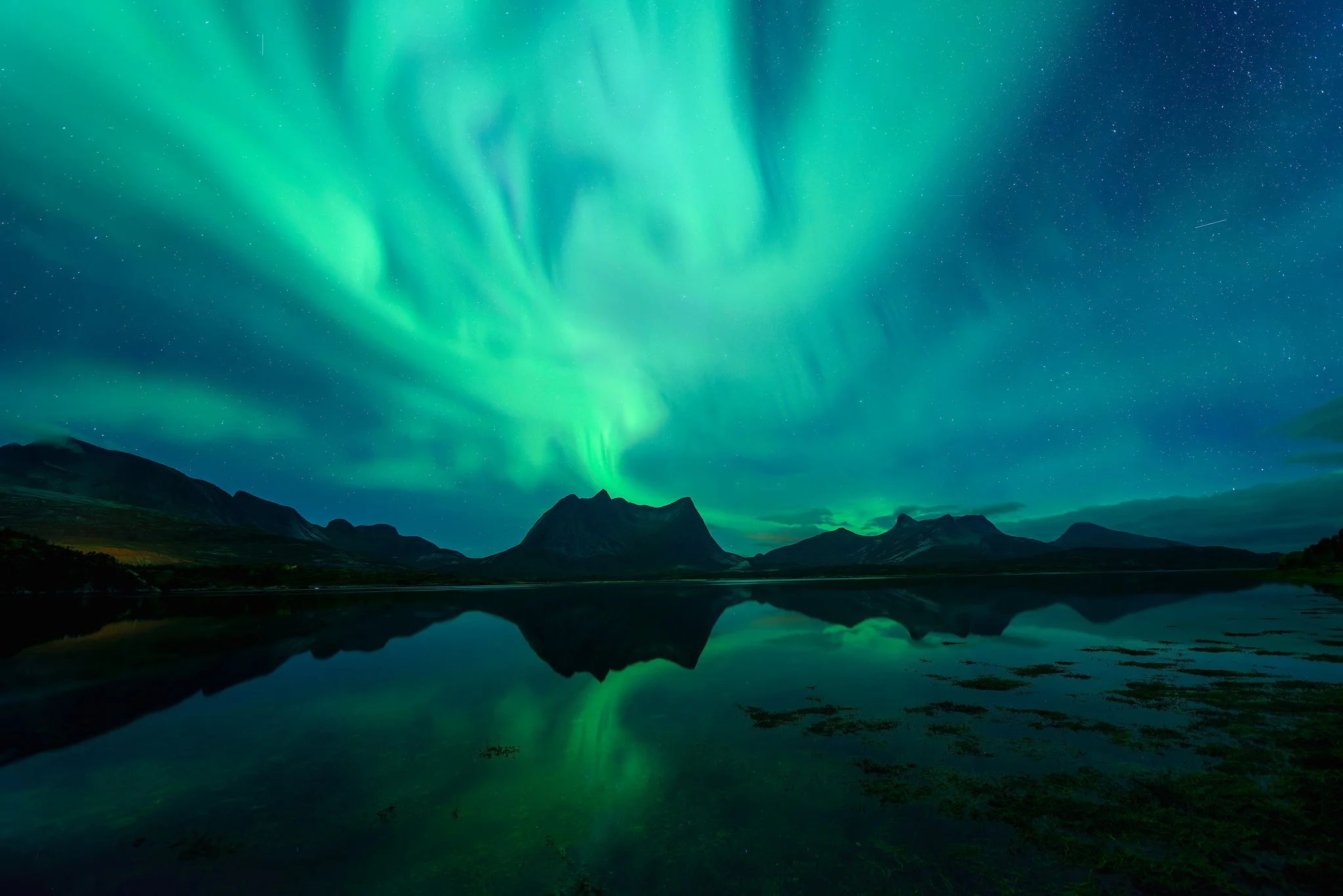
It´s wonderful to be abled to handle older files with these modern tools- this quality was not possible to squeeze out of these files in the past
The cons — and who doesn't need this
I promised my honest view, so here it is. PureRAW is not for everyone, and pretending otherwise would be doing you a disservice.
It's an extra step. This is the real cost. It adds a stage to your workflow — export and process — and that takes a reasonably capable computer, especially if you want to batch several images or full folders of RAW data. If you value a fast, frictionless workflow above the last few percent of quality, that friction is a genuine downside.
Most people chasing casual results don't need it. If you shoot mainly for social sharing, or you're happy with the noise reduction and sharpening already built into Lightroom, then you're fine without it. Lightroom's own tools have gotten good, and for a lot of photographers they're more than enough.
It's a quality tool, not a creative one. It won't make a boring photograph interesting. It won't fix composition or light. It improves the technical foundation — nothing more, nothing less.
So who is it for? Professionals and serious amateurs who want to maximize the technical quality of the files they work hard to capture in the field. People who print, license, submit to competitions, or simply refuse to leave quality on the table. If that's you — if you push your gear to its limits and want every ounce of quality back — this belongs in your workflow.
My verdict
DxO PureRAW 6 has become a permanent first step in how I process my landscape work. It doesn't change my vision or my style — it gives me a cleaner, sharper, more faithful foundation to build on, and it quietly rescues files I'd otherwise have lost. For the kind of photography I do, and for anyone who cares about wringing the most out of their RAW files, it's worth every bit of the extra step.
If you want to try it for yourself, DxO offers a free 14-day trial of the full version — no card details required — so you can run it on your own files and see the difference on your own screen, which is the only test that really matters.
Reader discount
Get 15% off DxO
I run DxO PureRAW as the first step on every file. Try it free, and if you keep it, the code below takes 15% off at checkout — it works on anything in the DxO range, so PhotoLab, FilmPack and the Nik Collection count too.
The code gives you 15% off and earns me a commission. It costs you nothing extra, and I only recommend DxO because I use it on my own work.
Keep exploring — more from Stories from the Wild
How to Improve Your Landscape Photography: 12 Tips That Actually Work — the habits that make the biggest difference, gear aside.
You Don't Need a Plane Ticket to Become a Better Landscape Photographer — why the best training ground is right where you live.
How to Photograph the Aurora Borealis — where high-ISO files (and tools like this) really earn their keep.
Before I press the shutter anywhere in the world, I run through four quick checks that keep my compositions strong.
I've put all four into a free guide called The Field Method.